Do I need an account to scan?
Real AI scans require Google sign-in. The demo lets you explore a sample scan and review flow without sending your photo for AI analysis.
The InstantFork AI food scanner
Start your food diary with the meal in front of you. InstantFork estimates visible foods and their nutrition from a photo, then gives you a review step before anything is saved.
Sign in with Google for a saved diary, or explore the demo.
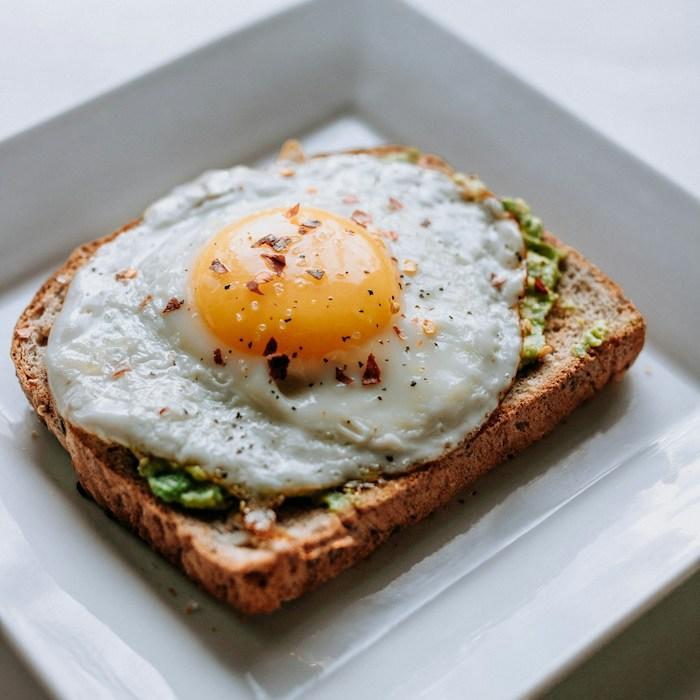 Start with what is on your plate.
Sign in with Google, open Add meal, choose Scan a photo, and select a food photo from your device. You can also use the camera option where your browser supports it. A clear photo of the whole meal gives the scanner more visible context to work with.
The result identifies foods, suggests estimated portions, and calculates estimated calories, protein, carbohydrates, fat, and fiber. It also includes a confidence level and notes about the estimate. These are useful prompts for checking the result against what you ate.
Look through the detected foods and the serving estimate. Choose Half, As pictured, or Double, or adjust in quarter steps. Edit calories, protein, carbs, fat, and fiber when you have better information, then check the meal category and diary date before saving.
Scanning does not automatically add a meal. You choose when to save it. The saved estimate then contributes to the totals for that diary day, alongside your manual entries and water log.
When you correct meal totals, the original ingredient estimates remain visible during review for comparison, but are omitted from the saved entry. You can edit a saved meal later or log it again with a different serving.
Some details are difficult to judge from an image. Hidden oils, sauces, ingredients, and the size of a serving can change the nutrition considerably. Use what you know about the meal when reviewing the estimate.
A few things to know
Real AI scans require Google sign-in. The demo lets you explore a sample scan and review flow without sending your photo for AI analysis.
The scanner accepts JPG, PNG, and WebP food photos. The upload screen explains size limits and helps you choose a supported file.
A real scan sends the photo for AI analysis. A smaller image can be saved with your meal. The privacy policy explains how photos and diary data are handled.
Open InstantFork to sign in with Google, or explore the demo to see the scan review and daily diary before creating your own entries.